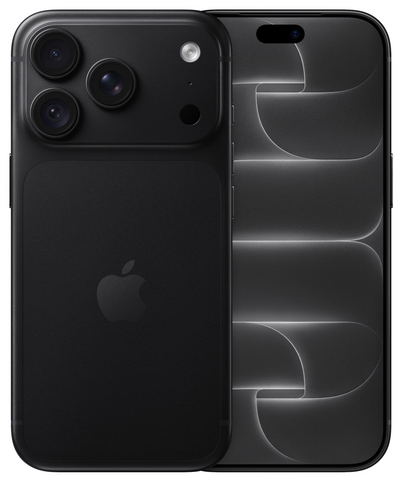
Your package has arrived and the iPhone is ready. Testing a refurbished iPhone after delivery is a wise first step: not because you should expect problems, but because it allows you to calmly check if the device matches what you ordered. Take ten to twenty minutes for this immediately after receipt. That way, you will quickly know if the screen, battery, camera, and important functions are working as desired.
With a professionally checked refurbished iPhone, you can count on a well-functioning device. The chosen condition primarily reflects visible signs of use, not the operation. Small scratches on a device with a lower cosmetic condition can therefore be normal. A screen that does not respond, a camera that does not open, or a charging port that does not work, of course, are not.
Start with the order and the exterior
First, check if you have received the correct model, color, and chosen storage capacity. You can find the storage capacity via Settings > General > iPhone Storage. Also, check if the included accessories are in the box, insofar as they belong to your order.
Next, examine the housing and the screen in good light. Compare the visible state with the condition you selected. An iPhone in a "value" condition may have light signs of use, while a device in a "pristine" condition will look less used. Cosmetic marks are different from damage that affects usage.
Pay special attention to deep cracks, loose parts, sharp edges, or a screen that is visibly coming away from the housing. Do you see something that does not match the product description or your expectations? Take a few clear photos immediately. This helps to discuss the situation quickly and clearly with customer service.
Testing a refurbished iPhone after delivery: the basics
Turn on the iPhone and go through the initial setup. You do not need to transfer all your apps, photos, and accounts right away. Test the core functions first. This keeps things manageable and makes it easier to use the return period if necessary.
Check the screen and controls
Swipe across the entire screen, open a few apps, and type a short message in Notes. This way, you will quickly notice if the touchscreen responds everywhere. Also, test the side buttons: volume up, volume down, and the power button should give a clear response.
Next, check the screen brightness. Turn it higher and lower and look at a light, solid background. A small cosmetic mark on the housing is possible depending on the condition, but distracting spots, flickering, or parts of the screen that do not respond are not part of normal use.
Does your model have Face ID? Then set this up during configuration and unlock the iPhone a few times. For models with Touch ID, test the fingerprint scanner in the same way. This allows you to immediately check a function that you will likely use multiple times a day.
Test camera, sound, and microphone
Open the camera app and take photos with the rear camera and the selfie camera. Switch between photo and video. Check if the camera focuses, if images are saved normally, and if the flash works. Also, listen to a short video recording via the speaker.
Then call someone or record a voice memo. During a call, you can test both the earpiece speaker and the microphone. Turn on the speakerphone to hear if the sound is clear. A short test with earbuds or a Bluetooth device is useful if you use them daily, but not necessary to assess basic operation.
Insert your SIM card and test reception
Are you using a physical SIM card? Insert it and check if the iPhone connects to your provider. For eSIM, follow your provider's instructions. Then test calling, mobile internet, and Wi-Fi. For example, send a message via Wi-Fi and then open a website via mobile data.
This is also a good moment to check Bluetooth, for example with wireless earbuds, a speaker, or your car. Not everyone uses all wireless functions equally often. Nevertheless, a quick check prevents unpleasant surprises when you are on the go.
Take a deliberate look at the battery
For many buyers, the battery is the most important point of attention. Go to Settings > Battery > Battery Health & Charging to view the information on your device. The percentage gives an indication of the maximum capacity compared to a new battery. How you experience that percentage depends on your usage, settings, chosen iPhone model, and the apps active in the background.
Do not look only at that one number. Use the iPhone during the first day as you normally would: Wi-Fi, messages, a few videos, navigation, or social apps. Then charge it and check if the battery percentage increases normally. A device that suddenly shuts down during normal use, gets extremely hot, or does not charge properly deserves further investigation.
Preferably use a good cable and a suitable adapter. A damaged cable or a weak adapter can cause charging problems that are not related to the iPhone itself. If necessary, also test a different power outlet or a different cable before drawing a conclusion.
Check data and security
Go to Settings > General > About and check, among other things, the serial number and the model details. You can also confirm here that the storage capacity matches your order. Additionally, check that the iPhone does not show an activation lock from a previous user. During the initial installation, you should simply be able to proceed with your own account.
Only install available iOS updates after you have completed the first basic check. An update can be useful for security and compatibility, but it is nice to know first how the device functions upon receipt. Create a backup once everything works to your satisfaction and you have transferred your data.
What is normal and when should you contact us?
A refurbished device is not a new device from the factory. Depending on the chosen condition, light scratches or other minor signs of use may be visible. This does not affect technical operation. Battery experience may also differ per user: intensive streaming, gaming, 5G, and navigation simply demand more energy than calling and sending messages.
Contact us when an important function does not work, when the received condition clearly deviates from what you ordered, or when there is a problem that you cannot explain with a simple check. Briefly describe what you see, when it happens, and what steps you have already tried. Photos or a short video can help with visible issues.
At Refurbished.nu, you receive a 24-month warranty and 30-day returns. This gives you space to properly evaluate the device at home, without the risk of a private second-hand purchase. Therefore, keep the packaging and order details for the first period.
Do not make it unnecessarily difficult for yourself
You do not need to spend hours investigating every setting and sensor. The practical test is simple: check the exterior and the order, try the functions you use every day, and charge the device at least once. Do the screen, camera, sound, connection, unlocking, and charging work as expected? Then you can confidently transfer your data and start using the iPhone in earnest.
A calm check on the day of delivery often provides exactly the certainty for which you choose refurbished: a good iPhone for a sharper price, with clear conditions if something is not right after all.
