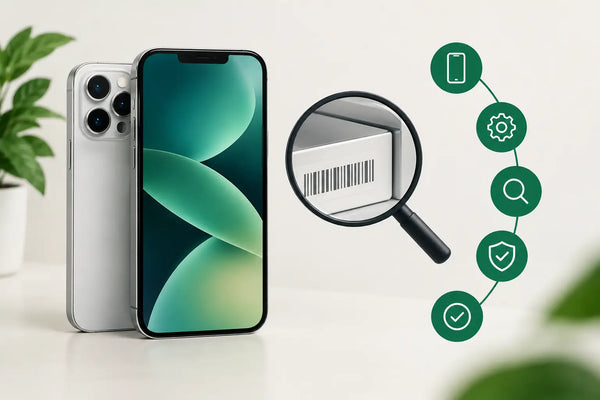
An iPhone often looks fine in a product photo. However, before you buy a second-hand or refurbished device, you want to know whether the serial number and origin are correct. Checking an iPhone IMEI number is therefore a smart step, especially when you are considering a device from a private seller.
The IMEI number doesn't tell you everything about an iPhone, but it does help you compare data and spot potential risks earlier. Think of it as the identity number of the device. Always combine this check with information about the condition, battery, warranty, and return options.
What is an iPhone IMEI number?
IMEI stands for International Mobile Equipment Identity. It is a unique number that identifies a mobile phone on a network. An iPhone usually has a 15-digit IMEI. On models with dual SIM or eSIM, you may see two IMEI numbers: IMEI and IMEI2.
That is normal. It does not mean there is something wrong with the device. The numbers correspond to the different mobile connections the iPhone can use.
An IMEI number is different from the serial number. The serial number is used to identify a specific device, while the IMEI number is primarily linked to the mobile function of the iPhone. When checking before a purchase, it is wise to look at both numbers if they are available.
Checking an iPhone IMEI number: how to find it
The fastest way is through the iPhone settings. Open Settings, go to General, and choose About. There you will see, among other things, the serial number, IMEI, and on some models, IMEI2.
Haven't set up the iPhone yet? Then you can sometimes tap the information icon on the home screen or lock screen. On many iPhones, you can also enter the code *#06# in the Phone app. The IMEI number will then appear directly on the screen.
On certain models, the number is also physically located on or near the SIM card tray. This is less convenient and not the same for every iPhone. The packaging may also have an IMEI label, but always verify this against the number you see in the settings. The box alone is not proof that it actually belongs to the device.
Step 1: Ask for the IMEI number before you buy
If you are buying from a private individual, ask for the IMEI number in advance or for a clear photo of the screen with the device information. A serious seller will understand why you are asking. Do not share such a number publicly yourself unnecessarily, but use it only for your own check.
If you don't get an answer, get a vague story, or only receive a photo of a box, be extra cautious. It is not automatic proof of fraud, but it is a reason not to pay too quickly.
Step 2: Compare the iPhone, packaging, and proof of purchase
Check the IMEI number on the iPhone and compare it with the label on the packaging. If the seller has an original invoice, the data on it can provide extra assurance. A discrepancy between the numbers requires an explanation.
There can be legitimate explanations, for example, if a device was once exchanged and an old box was kept. Nevertheless, the rule remains simple: it is better not to buy if the story cannot be verified or if the data does not add up logically.
Step 3: Check that the device is not blocked
An IMEI can be blocked by a carrier if a phone has been reported as lost or stolen. A blocked iPhone can cause problems with mobile calling and internet via a SIM card.
You can have an IMEI check performed by a reliable party that verifies such data. Keep in mind that the results do not always include all international registrations and that databases can vary. A positive check is therefore useful, but it is not a complete guarantee of the condition or origin of a device.
When in doubt, buying from a specialized refurbished provider is often more peaceful than a private deal. In that case, an iPhone is technically checked in advance, and you get clear agreements about warranty and returns.
Step 4: Check for activation lock when picking up
An IMEI check does not prevent an iPhone from still being linked to a previous owner's account. That is a separate risk. Therefore, when making a private purchase, ask the seller to completely erase the device and log out of their account before you pay.
Then restart the iPhone and go through the setup. If a prompt appears asking for a previous owner's details, stop the purchase. You may not be able to activate the device on your own.
A seller who stays with you while you check this offers more security than someone who only wants to hand over a sealed box. This is harder to verify when shipping. That is precisely why warranties, return rights, and professional verification are extra valuable.
Step 5: Look beyond just the IMEI number
A correct IMEI number says nothing about the condition of the screen, cameras, speakers, or battery. It also does not tell you if the device has had water damage, if all functions work properly, and which parts have been replaced.
Therefore, also check the battery health via Settings, the functionality of Face ID or Touch ID, the camera, charging port, buttons, Wi-Fi, and mobile connection. Preferably, test with your own SIM card if you pick up the device in person.
With a refurbished iPhone, that technical check should already take place before the sale. Also, pay attention to how the condition is explained. A device with light signs of use may work perfectly technically, while a cosmetically beautiful device without a warranty may still be an uncertain choice.
When is an IMEI check especially sensible?
With a refurbished iPhone from a specialist, the IMEI number is usually not something you need to go after yourself. The seller is responsible for checking the device and offers clear terms for any subsequent issues. At Refurbished.nu, for example, you buy with a 24-month warranty and a 30-day return policy, which a private purchase does not standardly offer.
The IMEI check is especially wise when you buy via a marketplace, social media, an unknown seller, or an offer that contains little information. Even with a strikingly low price, it is wise to stay calm and check first. A bargain is only advantageous if the iPhone remains usable.
Have you already bought an iPhone and suspect something is wrong? Save conversations, proof of payment, and photos of the device. If there is a potential blockage, contact your provider or the seller. Do not wait too long to do so, especially if you are still within an agreed return period.
Common mistakes during an iPhone check
The biggest mistake is thinking that one number answers all questions. An IMEI check is a valuable part of your purchase, but not a replacement for a proper technical test and reliable sales conditions.
Confusing the IMEI and serial number also happens frequently. Do not blindly ask for any number, but check exactly what you are comparing. Do you see two IMEI numbers? That can be completely normal for a dual-SIM capable iPhone.
Finally: do not pay in advance because a seller promises that you can check the number later. Ask for the relevant information first, ask clear questions, and when in doubt, choose a provider with a warranty and a return option. That peace of mind is often worth more than a small price difference.
Buying an iPhone doesn't have to be a gamble. Take a few minutes for the IMEI check, look at the big picture, and choose clear terms. Then you will not only know better what you are buying, but also where to turn if something turns out to be wrong.