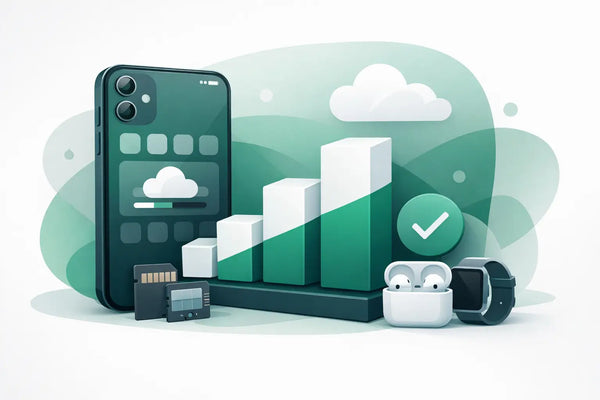
You usually notice an iPhone with too little storage at the most inconvenient moment: right before a vacation, while filming a performance, or when an important update refuses to install. How do you choose iPhone storage without paying too much for space you never use? Don't just look at how many photos you have now, but primarily at how you will use your device over the coming years.
With a refurbished iPhone, you can often choose from multiple storage capacities. This makes it possible to choose a model that fits your budget without compromising on the space you really need. The right choice depends on your photos, videos, apps, messages, and whether you prefer to keep files on your iPhone or store them partially online.
How do you choose the iPhone storage that suits you?
Start with your current usage. If you already have an iPhone, go to Settings, General, and iPhone Storage. There, you will see not only how much storage you are using, but also which items take up the most space. Photos and videos are often at the top, followed by apps, messages, and downloaded media.
Pay close attention to free space. If your current 64 GB device is almost full, opting for 64 GB again is usually not a worry-free choice. For example, if you are using 55 GB and want to keep your next device for two or three years, 128 GB provides noticeably more breathing room. You won’t have to constantly delete photos or remove apps to make room for a software update.
Don't have an iPhone yet? Think in terms of habits. Do you take photos of children, pets, or work daily? Do you regularly film in high quality? Do you download series for travel, save a lot of WhatsApp media, or play large games? If so, your storage needs will grow faster than you expect.
Storage cannot be expanded with a memory card. What you buy is the capacity your iPhone will have. That is exactly why it is wise not to go for the lowest price, but for a size that will still be comfortable to use next year.
64 GB: suitable for light users
64 GB can be enough for someone who mainly uses their iPhone for calling, messaging, banking, social media, and a limited number of photos. It is a logical budget choice if you regularly clean up photos or automatically store them in cloud storage.
However, 64 GB requires some discipline. The operating system and standard apps already take up a portion of the space. After that, photos, videos, and group chats often fill the storage faster than expected. Especially if you take many videos, 64 GB can become tight.
Choose this capacity when you are conscious about your storage usage and do not use your phone as an extensive photo or media library. It can be a great fit for a child, as a first iPhone, or as a simple device for daily contact. If you really want to avoid notifications about full storage, a step up is often wiser.
128 GB: the safe choice for most people
For many users, 128 GB is the best balance between price and space. You can take photos, install apps, and download music or episodes without much thought. You also have more margin if you use WhatsApp regularly and receive a lot of media.
128 GB is especially pleasant for families, students, and people who use an iPhone intensively but do not save huge video files. You don't have to clean up your storage every month, while you also don't pay for a lot of unused space.
Anyone coming from an older iPhone with 64 GB will notice the difference immediately. You have space left over for updates, temporary files, and new apps. That is not only comfortable but also helps when you want your device to last longer.
256 GB: space for photos, videos, and downloads
If you take many photos and videos, 256 GB is a worry-free choice. Think of parents who want to keep every moment of their children, travelers who film a lot, or entrepreneurs who create photos and videos for their work. Those who like to save music, podcasts, games, or series offline also benefit from this extra space.
Video takes up storage much faster than photos. Filming in high quality for a few minutes can cost more space than dozens of regular photos. If you love to film and don't immediately move those files to a computer or cloud storage, 256 GB may be the better investment.
This capacity is also logical if you want to use your iPhone for a long time. Your usage often changes: perhaps you don't take many videos now, but you might want to capture more in a year. With 256 GB, you have that flexibility without having to clean up immediately.
512 GB and more: only necessary for intensive use
The largest storage variants are not needed by everyone. They are especially suitable for people who record many long videos, save large files locally, or use their iPhone for creative or professional work. Large mobile games and offline media collections can also add up significantly.
For normal daily use, this is often more than necessary. Extra storage increases the purchase price, while unused GBs don't provide any benefit. So, look honestly at your behavior rather than just at the biggest number. More is nice, but only if you actually use that space.
Photos, videos, and apps: this is where your storage disappears
Photos seem innocent until you have thousands of images saved. Especially live photos, screenshots, photos from group chats, and duplicate images add up. Videos have an even greater impact. A short video for social media is small, but vacation films, videos of children, and multiple takes quickly add up to dozens of GBs.
Apps also vary greatly. A banking app uses little space, but games, editing apps, and social media often collect cache files. Messaging apps can also become unexpectedly large if you save photos, videos, and documents in conversations for years.
Offline downloads are another factor. A few playlists, podcasts, or episodes for the plane are convenient, but they stay on your device until you delete them. Therefore, check occasionally which downloads are still relevant.
Cloud storage helps, but does not fully replace internal storage
Cloud storage can be a good supplement, especially for photos and backups. Your files are then not exclusively on your iPhone, and you can save space by keeping originals online. On the other hand, you are dependent on your internet connection and possibly a recurring subscription.
Even with cloud storage, sufficient internal storage is nice. Apps, system updates, temporary files, and recent photos still use space on the device. So, don't rely entirely on the cloud if you already know you film, download, or use apps a lot.
See cloud storage as a way to keep your iPhone organized, not as a reason to always take the smallest capacity. A combination of appropriate internal storage and a good backup offers the most peace of mind.
Choose storage within your budget, not separately from it
With refurbished iPhones, the price difference between storage variants is often smaller than with a new device. Therefore, a model with 128 GB or 256 GB can be more attractive than you might think in advance. Always compare the same iPhone in different storage capacities before you decide.
It can be smart to choose between two good options. For example, if you primarily want a better camera system or a larger screen, a newer model with 128 GB might fit better than an older top model with 256 GB. If, on the other hand, you use few new features but want to save photos for years, extra storage may be more valuable than a newer model.
Also look at the condition, battery information, warranty, and return policies. Storage is important, but a reliable purchase consists of more than just GBs. At Refurbished.nu, iPhones are delivered professionally inspected, with a 24-month warranty and 30-day returns. That provides room to make a choice that suits you.
A simple rule of thumb for your choice
Still in doubt? Choose 64 GB only if you save little and clean up consciously. Choose 128 GB if you want a safe, versatile choice for daily use. Choose 256 GB when photos, videos, downloads, or games play a major role. Only go for 512 GB or more if you really need large files stored locally.
The best storage capacity is not the largest one, and not always the cheapest one. It is the variant that allows you to use your iPhone the way you want, without storage space constantly demanding attention. Therefore, give yourself some margin - especially if your device needs to last several years.