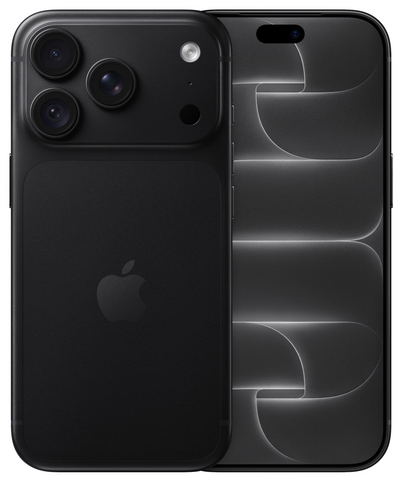
An iPhone that looks almost new on the outside can still run out of battery faster than you expect. That is why checking the iPhone battery status before purchase is one of the wisest steps to take when buying a second-hand or refurbished device. The battery is a wear-and-tear component. You cannot judge it by a nice-looking housing, but you can with the right information and a few targeted checks.
A lower battery health does not automatically mean that an iPhone is not a good buy. It comes down to the combination of battery percentage, price, usage, and the assurances you receive from the seller. Someone who primarily makes calls, uses messaging apps, and takes occasional photos has different requirements than someone who navigates all day, watches videos, or needs to remain reachable for work.
Checking the iPhone battery status before purchase: where do you find it?
On an iPhone, you can view the maximum battery capacity via Settings > Battery > Battery Health & Charging. There, you will see a percentage next to 'Maximum Capacity'. That percentage indicates how much charge the battery can still hold compared to when it was new.
If it says 90%, for example, the battery theoretically still has about 90% of its original capacity. It is not a minute-by-minute prediction. Screen brightness, reception, apps, temperature, and your usage all influence how long a full charge lasts. Nevertheless, this percentage is the best initial indication you get as a buyer.
On the same screen, also check whether there is a message about maintenance or performance. A notification may indicate that the battery is severely degraded or not functioning properly. When buying from a private seller, feel free to ask for a current photo of this screen, taken just before you pick up the device. At the same time, check if the model and storage capacity match the advertisement.
When purchasing online, you naturally cannot walk through the settings yourself beforehand. In that case, read carefully how the provider handles batteries and what information is provided with the device. A clear description, warranty, and a return policy provide more security than just the statement that the battery is 'good'.
What battery percentage is reasonable?
There is no magic percentage that is good or bad for everyone. However, this practical breakdown helps when comparing devices.
A battery health of 90% or higher is a good starting point for most people. You are buying a device with relatively little battery wear and usually have enough capacity for a full day of normal use. For a recent model, this can be extra attractive if you want to use the iPhone for years to come.
Between 85% and 89% is often still fine, especially if the price is logically aligned with it. An iPhone with a good screen, sufficient storage, and in tidy condition can still be a smart choice in this category. Just count on having to charge sooner than you would with a device featuring a newer battery.
Between 80% and 84%, the choice depends more on your expectations. For a spare phone, a first iPhone for a child, or light daily use, this may be sufficient. Those who are on the road for long periods, use a lot of mobile data, or prefer not to carry a power bank are usually better off choosing a higher capacity.
Below 80%, extra attention is needed. In this situation, iOS may indicate that battery maintenance is recommended. This does not mean the iPhone is unusable, but a battery replacement may become logical in the foreseeable future. Factor these potential costs into your comparison. A low purchase price is only truly advantageous if the overall picture still makes sense.
Look beyond just the maximum capacity
The maximum capacity is important, but it doesn't tell the whole story. A battery can show a reasonable percentage and still exhibit strange behavior. Think of a device that drops rapidly from 25% to 5%, shuts down unexpectedly in the cold, or gets noticeably warm during simple tasks. You will mainly notice such signs when you have the iPhone in your hands.
Therefore, during an inspection, open a few apps, take a photo, play a video briefly, and check if the device responds normally. Pay attention to whether the battery percentage drops inexplicably fast in those minutes. Also, check if charging works properly with a cable. A loose connection or an interrupted charging cycle can be a different problem than battery wear.
Additionally, ask if the battery has ever been replaced. This does not have to be a disadvantage. A professionally replaced battery can actually be beneficial, provided the device works well afterwards and the seller is open about it. Ambiguity is less pleasant: you want to know what you are buying and what you can fall back on in case of a problem.
On some iPhones, iOS may display a notification if a component is not recognized as a genuine part. Do not treat such a notification as a minor detail. Ask what was replaced, by whom, and whether all functions were tested. A reliable provider will provide a clear answer to this, without vague promises.
Battery cycles: useful extra information, not the main point
With second-hand iPhones, you sometimes encounter the number of charge cycles. One cycle roughly represents using 100% of the battery capacity combined. This does not have to be all at once: charging twice from 50% also counts as one cycle together.
A lower number of cycles can be positive, but is not enough on its own. The age of the device, the way it was used, and the current maximum capacity remain at least as relevant. An iPhone that has few cycles but lay unused in a drawer for years also deserves a good check. Batteries age not only through charging but also through time and heat.
So, use cycles as additional information if available. Base your purchasing decision primarily on the current battery health, the overall condition of the device, a realistic price, and the seller's terms and conditions.
Buying second-hand from a private seller or refurbished?
With a private purchase, the price is sometimes attractive, but you have to check much more yourself. You don't just want to see the battery status, but also check if the device is logged out, free of activation locks, charges properly, and has no hidden defects. Preferably meet in a place where you can test the iPhone in peace before paying.
A refurbished iPhone is intended for buyers who want to take less risk. The device is checked beforehand, and you buy with clear terms instead of just based on an ad description. At Refurbished.nu, for example, you get a 24-month warranty and a 30-day return policy. This provides space to use the iPhone at home and assess whether it fits your daily routine.
Be aware that 'refurbished' does not describe a fixed quality level without further explanation. Always read exactly what a provider checks, how the cosmetic condition is indicated, and what information is given about the battery. A proper product page should create concrete expectations, not just use general terms.
Questions to ask before purchase
If the battery health is not clearly stated in the product information, ask about it before you order. Ask what minimum percentage the provider maintains, whether the battery has been tested, and what happens if the battery does not work as expected in practice. It is also wise to ask how a return or warranty request is handled.
With a private seller, three questions are usually very clarifying: what is the current maximum capacity, has the battery ever been replaced, and does the iPhone last a normal day of use? Compare the answer with the photo of the battery settings and with your own test. Someone who is selling honestly generally has no objection to those questions.
Do not be tempted by the lowest price alone. An iPhone with a slightly higher purchase price, better battery health, and a clear warranty can ultimately be more worry-free and economical. Especially when you need the device daily, peace of mind is often worth more than a small saving.
Ultimately, choose the battery that fits your usage, not just a percentage on a screen. Anyone who checks carefully beforehand and buys from a party that communicates clearly starts their next iPhone experience with more confidence.
