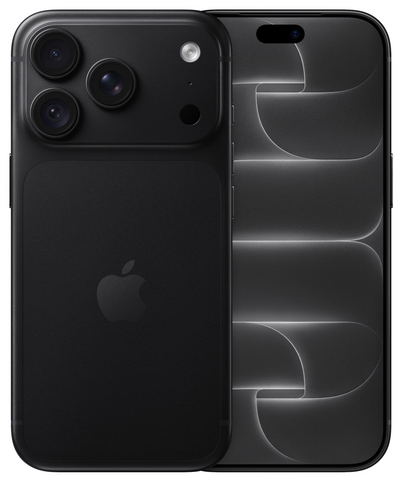
Unboxing an iPhone to check if everything is in order is perfectly normal. But can you return an iPhone if you've opened it because you want a different model, size, or color after all? In many cases, yes. The difference lies in exactly what you have done with the device and how carefully you return it.
With an online purchase, you are generally allowed to evaluate a product just as you would in a physical store. For an iPhone, that means: opening the packaging, looking at the device, holding it, and checking the basics. Those who subsequently use the device extensively, install it, and damage it may face depreciation. This does not necessarily make returning it impossible, but it may affect the amount to be refunded.
When can you return an opened iPhone?
An opened box does not automatically mean your return will be refused. When ordering online, you have the right to evaluate the product. Especially with a refurbished iPhone, it is logical that you want to check the condition of the housing, screen, camera, and the functioning of the buttons.
The most important question is therefore not whether the packaging is open, but whether you have gone further than necessary to evaluate the device. Briefly switching it on and checking it is different from using the iPhone as a daily device for several days.
Refurbished.nu offers a 30-day return policy. During that period, keep the box, any accessories, and protective materials neat. This makes the return inspection faster and avoids discussions about missing parts.
Opening and checking is allowed
You are allowed to remove the iPhone from the packaging and carefully inspect it. For example, check whether the correct model and storage capacity have been delivered, whether the condition matches the chosen grade, and whether the most important functions work.
A brief check of the screen, sound, camera, charging port, and buttons is reasonable. You are also allowed to see how the device feels in your hand. If you are debating between a compact model and a larger screen, you only truly notice that when you are holding the device.
Intensive use can have consequences
Things change when you set up the iPhone completely and use it for a longer period. Think of inserting your SIM card, taking many photos, installing apps, gaming, making calls, or carrying it without protection. This can cause the device to develop signs of wear that would not occur during a simple inspection.
Damaged packaging, a missing cable, or a newly created scratch can also affect the value. The seller may then charge an amount for the depreciation. The amount charged depends on the situation and the condition in which the iPhone is returned.
How to evaluate an iPhone without unnecessary risk
If you want to be sure that the device is right for you, keep your inspection deliberately brief and tidy. Open the packaging carefully and immediately set all components aside. Preferably use a clean, flat surface and leave any film or protective material on as long as possible while you are still deciding.
After that, check the model, color, storage, and external condition. Turn the iPhone on and examine the screen. Test the camera, speakers, microphone, buttons, and charging. You do not need to transfer all your data first to know if the basics are in order.
A refurbished iPhone may already be a previously activated device upon delivery. That is normal: the device has been professionally checked and prepared for use again. The packaging, therefore, cannot always be compared to that of an unused phone. That is precisely why it is wise to examine the device thoroughly upon receipt.
Do you want to use the iPhone after all? Keep an eye on the return period
Sometimes you only notice after a few days that the screen size is not comfortable, that you need more storage, or that you would prefer a different model. If so, act quickly. Do not wait until the end of the return period if you already know the iPhone is not for you.
In the meantime, treat the device as if you are only testing it. Use a case if you take it with you and avoid contact with keys, sand, or moisture. The neater the iPhone remains, the smoother the return process usually goes.
A device with slight existing signs of wear, consistent with the chosen condition, is different from damage caused after receipt. Therefore, take a few photos of the iPhone and the packaging upon receipt if necessary. This will help you document the initial situation, especially if you are in doubt about a detail.
Returning an iPhone after opening: what you must do first
Have you decided to return it? Make sure that your personal data has been completely removed from the device. This is not only good for your privacy but also prevents the next user or the returns department from getting stuck due to your account security.
Register your return according to the webshop's return instructions. Only erase the iPhone once you are sure you no longer need any files, photos, or messages. Make a backup beforehand if you have transferred any data.
Then remove your SIM card or eSIM. Log out of your account and turn off the device's tracking function. If that function is still active, the iPhone remains linked to your account. The seller will then be unable to check or prepare the device for reuse.
Afterward, choose to erase all content and settings on the iPhone. After restarting, check that the device is back at the welcome screen. Pack the iPhone carefully with the included accessories and preferably use the original packaging inside a sturdy shipping box.
What if the iPhone is damaged or does not work?
Do you discover a problem or damage upon receipt that you did not expect? Then contact customer service as soon as possible and take clear photos or a short video. Do not attempt to repair it yourself and do not just send the device back without following the return procedure.
In the case of a technical problem, the situation is different from returning it because you have changed your mind. A defect that did not arise from use falls under warranty and service handling. Refurbished.nu offers a 24-month warranty, so you know where you stand even after the initial inspection period.
If you have caused the damage yourself, for example by dropping it or exposing it to moisture, be honest about it. That makes it possible to quickly assess what is and is not covered by warranty or return policy. Clarity always works better than trying to hide damage.
Common mistakes when returning
The most common mistake is returning the device while it is still linked to a personal account. This can cause processing delays. People also sometimes forget a SIM card in the iPhone or do not include the cable and packaging.
Another mistake is sticking tape or a shipping label directly onto the product box. Always use an additional outer box. The original packaging is part of your order and must remain as tidy as possible.
Finally: do not postpone registering your return. The return period starts from the receipt of the order, not from the moment you decide you would prefer a different device.
Returning an opened iPhone is usually perfectly fine, as long as you have only evaluated it reasonably, treat it carefully, and return it completely erased. Are you in doubt right when unboxing? Keep your test moment brief, store everything neatly, and arrange your return on time. This keeps the choice in your hands and prevents unnecessary costs or delays.
