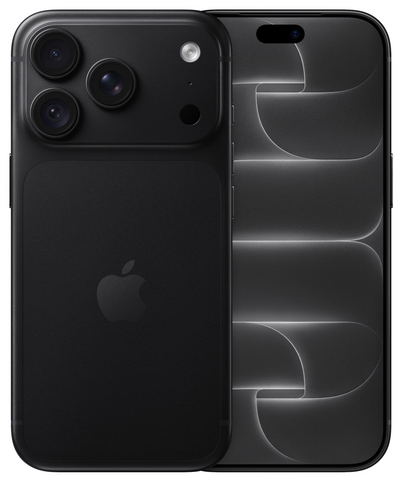
An iPhone that still looks neat and feels fast enough is not automatically the best buy. iPhone software support partly determines how long you can use your device comfortably, safely, and without hassle. This is an especially important point with a refurbished iPhone: you save on the purchase price, but you naturally also want your phone to last for years to come.
Software support sounds technical, but the question is simple: does an iPhone still receive new versions of the operating system and security updates? This influences the features you get, the security of your data, and the compatibility with apps you use every day.
What does iPhone software support mean?
Software support roughly consists of two components. First, there are major software updates. These bring a new version of the operating system, with updated features, adjustments to controls, and improvements to existing apps. In addition, there are security updates. These fix vulnerabilities and help protect your iPhone better against known security risks.
A device does not always have to run the latest major update to be usable. For calling, messaging, mobile banking, photos, navigation, and social media, a slightly older model can still suffice perfectly. Nevertheless, the choice becomes more important if you want to use your iPhone for several years. The newer the model at the time of purchase, the greater the chance of a longer period with up-to-date software.
Apps play a role as well. App developers decide for themselves which software versions they continue to support. Often, popular apps continue to work on older iPhones for quite some time, but eventually, certain new features may be missing or an app might require a more recent software version. This usually doesn't happen overnight, but it is wise to take it into account in advance.
Why software is important for a refurbished iPhone
With a refurbished device, you rightly look at price, condition, and battery. Software belongs on that same list. A lower purchase price is attractive, but a very old model may be less suitable if you expect it to last for four or five years.
The right choice therefore depends on your situation. Are you looking for an affordable iPhone for a child, as a backup device, or for basic use? Then an older model can be a sensible solution, as long as the functions and apps you need work well. Do you want to be set for a long time, do you use your iPhone for work, or do you store a lot of personal data on it? Then it is better to choose a newer model with more room for future updates.
That is no reason to only look at the newest device. Many people pay unnecessarily extra for features they hardly use. An iPhone from a few generations back often offers a strong camera, a nice screen, and sufficient speed for daily use. The best buy is the model that fits both your usage duration and budget.
Safety goes beyond installing an update
Security updates are valuable, but safe use also starts with your own settings. Use a passcode that is not easy to guess, turn on face or fingerprint unlocking if your model supports it, and install updates as soon as you have time. Furthermore, regularly back up your photos, contacts, and important data.
Also, be critical of messages asking for codes, passwords, or banking details. No software update prevents all forms of fraud. A well-updated device helps, but staying alert remains necessary.
How to choose an iPhone that fits your future plans
Do not start with the question of which model is the cheapest, but with how long you want to use it. Those looking for an iPhone for one to two years can often get by perfectly with an older and more affordable device. Those who prefer not to compare again for a longer period would do well to choose a more recent model.
Next, look at your daily use. For WhatsApp, email, video calling, music, and internet, a compact model with sufficient storage is often enough. Do you take many photos and videos, play games, or work on your phone regularly? Then storage capacity, screen size, battery condition, and performance are at least as relevant as the remaining software support.
For families, it can make sense to make different choices. A parent might choose a newer device that can last a long time, while a child or teenager is well served with a more affordable model for basic use. This way, you don't pay for the same specifications everywhere, but everyone gets a device that fits.
Also, pay attention to the moment you buy. A model that is still well supported now naturally has more of a future ahead of it than the same model two years from now. That sounds logical, but it helps not to look only at today's price. Calculate what a device costs per year of use. A slightly higher purchase price can be wise if it allows you to keep your iPhone for longer.
Battery and software are two different things
A new software version does not fix a worn-out battery. Conversely, a good battery does not mean a device will receive new software indefinitely. Both points therefore deserve attention when making your choice.
With refurbished iPhones, transparency about this is important. The technical state, the chosen condition, and information about the battery help you evaluate what you are buying. A device with visible signs of use can work perfectly technically and be a smart choice. Those who want the sleekest possible appearance will sooner choose a neater condition. Software support does not change based on physical condition, but your overall user experience certainly does.
Check these practical points after receipt
As soon as you start using your iPhone, it is wise to set aside a few minutes for the settings. Check which software version is installed and install available updates via the device's settings. Turn on automatic updates if you don't want to check manually every time.
Log in with your own account afterward, set up a backup, and check if your most important apps work well. Think of your banking app, DigiD, email, messaging apps, and possibly apps for work or school. This way, you immediately know if everything is configured to your satisfaction.
Also, take the time to go through notifications and privacy settings. You don't have to give every app access to your location, microphone, contacts, or photos. Only grant permission when that feature is truly necessary. This keeps your device more organized and limits unnecessary data sharing.
At Refurbished.nu, the choice is not just about a sharp price, but also about clarity in advance. A professionally checked iPhone, 24 months of warranty, and 30 days to return give you the space to calmly assess whether the device suits you. That is a different starting point than a private second-hand purchase, where the technical history and support are often less clear.
Should you wait for a newer model?
Sometimes yes, but often no. Waiting can be wise if your current phone still functions well and you have very specific wishes, such as a larger screen, a lot of storage, or a longer expected usage duration. Do you need a replacement device quickly because your old iPhone is broken or working unreliably? Then a suitable refurbished model is usually more practical than continuing to wait for the perfect deal.
Also, do not get distracted by features you don't use. A newer model often has more possibilities, but that doesn't suddenly make an older device unsuitable. For many users, a reliable iPhone with sufficient software support, a good battery, and warranty is exactly what is needed.
So, choose with a realistic view of the coming years. Not every device needs to last for the maximum possible time, but you do want to know where you stand. With a model that matches your usage, budget, and desired duration of use, you buy not only more affordably but, above all, with more peace of mind.
