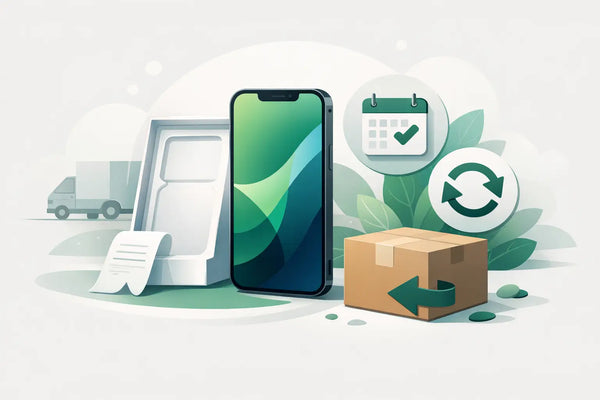
Buying an iPhone online sometimes feels different than holding one in your hand first. That’s why it’s good to know: how exactly does a 30-day return work? That period gives you the peace of mind to view your refurbished iPhone at home, try it out, and decide if it really suits you. Not just based on the model or price, but also on the screen size, the condition, and how the device feels in your daily use.
At Refurbished.nu, you get 30 days to return your purchase. That is longer than the legal cooling-off period of 14 days for online purchases. However, there are a few practical steps and conditions. These ensure that your return is handled safely, clearly, and fairly.
What does a 30-day return mean?
The return period begins on the day you receive your iPhone. From that moment on, you have 30 days to decide whether you want to keep the device. You don't have to be certain that this is the right iPhone for you on the day of delivery.
That extra time is especially useful for a refurbished device. You can calmly check if the chosen storage space is sufficient, if the size feels comfortable in your hand, and if the condition meets your expectations. A device with slight signs of use may work technically perfectly, but it must, of course, also fit what you personally find attractive or acceptable.
A 30-day return does not mean that you can use the iPhone as your own device indefinitely for a month and then return it without consequences. You may view and test the product just as you would in a store. Use that goes beyond what is necessary to evaluate the device can affect how the return is processed. Therefore, handle the iPhone with care as long as you are still in doubt.
How does a 30-day return work in practice?
Do you want to send the iPhone back? Then register your return within the period according to the return instructions included with your order or in the terms and conditions. Don't wait unnecessarily until the last day. This gives you time to prepare everything properly and prevents uncertainty about the date of your return notification.
After registering your return, you will receive instructions for sending it back. Always keep the shipping receipt until the return has been processed. This allows you to show that the package has been handed over, should something go wrong along the way.
Pack the iPhone carefully. Preferably use the original packaging if it is still available, with a sturdy outer box around it. Ensure that the device cannot slide around in the box. An iPhone is compact, but damage during transport can occur quickly if it is loose in a package.
Also include the parts that came with the order. Think of an included cable, documentation, or other accessories. Check beforehand what was exactly in your original package. A complete return can be checked and processed faster.
Safely remove your data from the iPhone
An iPhone often contains more personal information than you might think at first glance: photos, messages, saved passwords, apps, and banking or email data. Therefore, first make a backup if you want to keep data. After that, log out of your accounts and wipe the device completely.
When sending it back, it is important that the activation lock is turned off. If an iPhone is still linked to your account, it cannot be properly checked or put back into use. So, after wiping, check that the device is no longer linked to your personal account.
Also remove your SIM card if you use one. With an eSIM, it is wise to check if your provider profile is still active and what you need to remove yourself. This prevents your number or personal data from unintentionally remaining on the device.
What are you allowed to test during the cooling-off period?
You may evaluate a refurbished iPhone at home. This means you may check if the screen is pleasant, the buttons respond well, the camera works, and the device meets your expectations. You can also see if the chosen color, condition, and storage capacity are the right choice for you.
The difference lies in testing versus long-term use. Setting it up briefly and checking functions is part of evaluating the product. Using the device intensively as a primary phone, taking it on vacation, or visibly damaging it goes beyond what is necessary to make a choice. In such cases, depreciation may play a role.
Therefore, be extra careful with scratches, bumps, and moisture. Consider using a temporary case and do not put the iPhone loose in a bag or coat pocket with keys. This is not a complicated rule, but a practical way to protect your return option while you are still deciding.
Difference between return, warranty, and a defect
Returns and warranty are often confused, but they have a different purpose. The 30-day return period is intended for when you change your mind or when the iPhone doesn't quite suit you after all. Perhaps you would have preferred a larger screen, more storage space, or a different model in retrospect.
Warranty is for a problem with the device. At Refurbished.nu, you get 24 months of warranty. Does a function not work as expected or does a technical problem arise? Then contact customer service. In such a situation, you do not need to wait until the end of the return period or arrange a repair yourself.
If you discover a problem immediately upon receipt, report it as soon as possible. Make the problem concrete: describe what is happening, when it occurs, and which steps you have already tried. Sometimes a simple setting is the cause, but if something is truly wrong, a clear report helps to reach an appropriate solution faster.
When will you get your purchase amount back?
After receipt, the return is checked. This includes checking whether the correct device has been returned, whether the device has been unlinked, and whether the included parts are present. The condition of the device is also assessed.
If the return is received in accordance with the conditions, the purchase amount will be refunded via the payment method you used for your order. The exact processing time can vary per payment method and bank. Please note that a refund is not always immediately visible on your account, even if it has already been processed.
If you have only viewed and tested the iPhone normally, that is exactly what the return period is intended for. If the device is damaged, incomplete, or still linked to an account, this may delay the handling. Therefore, make sure you check everything one last time before shipping.
Handy checklist before you return your iPhone
Take two minutes for this final check. This will prevent the most common delays:
- Make a backup of photos, contacts, and other data you want to keep.
- Log out of your accounts and wipe the iPhone completely.
- Check that the activation lock is turned off.
- Remove your physical SIM card and check any eSIM settings.
- Add all included accessories to the package.
- Pack the device securely and keep your shipping receipt.
Doubt between returning or exchanging?
Sometimes the iPhone is fine, but your choice is just not ideal. You might notice that 64 GB of storage is too tight for you, or after a few days, you still want a larger screen. In that case, a different version might be a better fit than simply going back to your old device.
In that case, contact us before you send the iPhone. Explain clearly what you are running into. The right solution depends on your order, the condition of the device, and the available possibilities. A clear question beforehand prevents you from starting a return process unnecessarily when another model might be a better fit.
Choosing a refurbished iPhone is not just about saving money. It is also about choosing with confidence: a device that fits your usage, with 2 years of warranty and enough time to decide calmly at home. Therefore, use those 30 days for what they are intended for - not to waver quickly, but to discover with care whether this is truly your next iPhone.