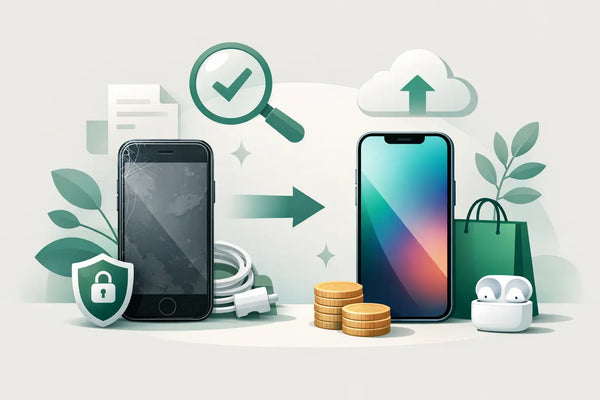
An iPhone gathering dust in a drawer is worth nothing. At the same time, you don't want the hassle of dealing with unknown buyers, hidden defects, or photos left behind on your old device. How do you sell your old iPhone in a safe and sensible way? With good preparation, an honest description, and attention to your data, you will get very far.
This is especially important if your old device still works fine. Even an iPhone with signs of wear, reduced battery capacity, or a small defect can still have value. The question is not just what you will get for it, but also how much time, risk, and effort you want to invest in the sale.
First, determine if selling privately suits you
Selling privately can yield a higher return than trading it in or giving it to a buyer. On the flip side, you have to create your own listings, answer messages, arrange appointments, and assess whether a buyer is trustworthy. With a popular model, this can go quickly. With an older model or a damaged device, it sometimes takes more time than you expect.
Therefore, do not look only at the highest asking price. A buyer who communicates reliably, uses a clear payment method, and does not set strange conditions is often worth more than a few extra bucks. If you choose shipping, keep in mind shipping costs, packaging, and the risk that a package might go missing or arrive damaged.
Do you have little time, or do you want to avoid meeting strangers? Then a company that buys devices might feel more comfortable, although the return is often lower. The difference lies in convenience: you trade part of the sale price for less work and more predictability.
Make an honest estimation of the value
The value of a used iPhone depends on the model, storage capacity, technical state, and physical condition. The battery health also has an impact. A device with 128 GB of storage is generally more attractive than the same version with less storage, but only if everything else is comparable.
Compare prices of devices that truly match yours. So pay attention to the same storage, the same condition, and the same accessories. Moreover, an advertised price is not always the final sale price. Many private sellers set their price high because negotiation is expected. Look for a realistic range rather than one remarkably high asking price.
Always describe damage concretely. A scratch on the screen, a dent in the frame, a non-working camera, or a malfunctioning Face ID must be known to the buyer beforehand. This prevents post-sale arguments and ensures that serious interested parties know what they are getting into.
Check what still works well
Take ten minutes before posting an ad to test the most important functions. Check if calling, Wi-Fi, mobile reception, cameras, speakers, microphone, charging port, and buttons work. Also test the screen for dead spots or lines and see if the device charges normally.
Also, check the battery health in the settings. A lower percentage does not automatically mean that an iPhone is unusable, but it is relevant information for the price. Be open about this. Transparency generally attracts buyers who are less likely to encounter surprises.
Protect your data before you sell the iPhone
Your personal data is more important than the sale price. Photos, messages, saved passwords, banking apps, and access to accounts can all still be on the device. Simply erasing an iPhone quickly is not enough if you do not first properly disconnect it from your account.
First, make a recent backup of everything you want to keep. Then check whether your photos, contacts, and messages are actually available on your new device or in your backup. Only when you have verified this can you proceed with the old device.
Next, sign out of your account and turn off the feature that allows a lost device to be found. This step is essential: if the activation lock remains active, the new owner may not be able to use the iPhone. Afterward, remove any payment cards from your digital wallet and disconnect accessories, such as a smartwatch or wireless earbuds, if they are still linked.
Only erase the device once these steps have been completed. In the settings, choose to erase all content and settings. Only remove a physical SIM card from the device afterward. If you use an eSIM, check with your provider that your subscription and eSIM are correctly set up on your new device before you reset the old iPhone.
Never share your passcode, account password, or verification codes with a buyer. Not even if someone says they want to check the device first. Those details are not necessary for a normal inspection.
How to make an ad that builds trust
Good photos and clear text save you many messages. Take photos in daylight of the front and back, the sides, and the screen. Photograph signs of wear and damage separately as well. That may seem less attractive, but it prevents disappointment upon viewing or receipt.
In the text, mention at least the model, storage capacity, color, condition, battery health, and which accessories you are including. Also, write whether the original box, charging cable, or purchase receipt are present. Mention only accessories that you can actually provide.
A short, factual description works better than a story full of superlatives. For example: the device works technically well, has light signs of wear on the edge, and comes with a cable. Does the screen have a scratch? State it directly. A buyer who knows exactly what they are buying beforehand asks fewer questions and usually negotiates more fairly.
Choose a safe payment and transfer method
When picking up, a public place during the day is often the most pleasant choice. Let the buyer look at and test the device at their leisure, but only hand it over once you are sure the payment has been received. A payment confirmation on the buyer's screen is no guarantee. Check for yourself in your banking app if the amount has actually been credited.
The same applies to shipping: only ship after receiving payment. Take photos of the device for yourself just before packing, note the serial number, and use sturdy packaging. Choose a shipping method with tracking and save the shipping receipt. For a higher-value device, insured shipping may be worth considering.
Be alert to pressure, vague requests, and unusual payment structures. Think of buyers who have someone else pick it up, ask for a code from a message, or propose using an unknown payment service. A normal buyer understands that you want to act carefully.
Give the buyer room to check
A buyer usually wants to see if the screen, camera, and buttons work. That is reasonable. Just make sure your own data is already removed before the buyer tests it extensively. After erasing, the buyer can check the iPhone on the home screen without having access to your content.
When transferring, make clear agreements about what is included and the condition the device is in. Record any known defect one more time in a chat message. Not because you want to show mistrust, but because clear expectations are pleasant for both sides.
Be realistic about condition and price
A used iPhone does not have to be perfect to remain attractive. Many people consciously choose refurbished or second-hand because they want to save money without going for the newest model right away. This is precisely why an honest condition description carries a lot of weight.
A device with light signs of wear can sell fine if the price matches. With a weak battery or a visibly damaged screen, repairing is sometimes sensible, but not always. Calculate first what a repair costs and how much extra revenue it is likely to generate. With an older model, you won't automatically earn that investment back.
Finally, keep your shipping receipt, payment details, and the ad for a while after the transfer. Should a question arise, you will have the most important information at hand. Whoever acts calmly, openly, and carefully turns an old iPhone not into a source of hassle, but into a neat step toward a next device.